
When you optimize your Google Business Profile, you make it so clear and complete that Google understands what you do and trusts it enough to show your business to people searching nearby. Google ranks local search on three criteria: relevance, distance and prominence. You can’t change distance. Relevance is solved with the right category, services and description. Prominence comes from reviews, photos and your business being mentioned outside Google. In 2026, the same data feeds the AI answers in Maps, so a vague profile loses on both fronts.
This is the guide on what to do and why. If you want a list to check item by item, it’s in the Google Business Profile optimization checklist. And if your business isn’t on the map yet, start with how to put your business on Google Maps.
The three criteria, in business owner terms
Google publishes how it decides who shows up in local search, and the rule is short.
| Criteria | What it is | Can you change it? |
|---|---|---|
| Relevance | How well the profile matches what the person searched for | Yes, and it’s the cheapest to fix |
| Distance | How close the business is to the person searching | No |
| Prominence | How well known the business is, on and off Google | Yes, but it takes months |
Almost every profile that comes to us with “I don’t show up” has a relevance problem. The business sells dental implants and the profile says only “Dentist”, with no services listed. Google has no way to know.
1. The primary category decides almost everything
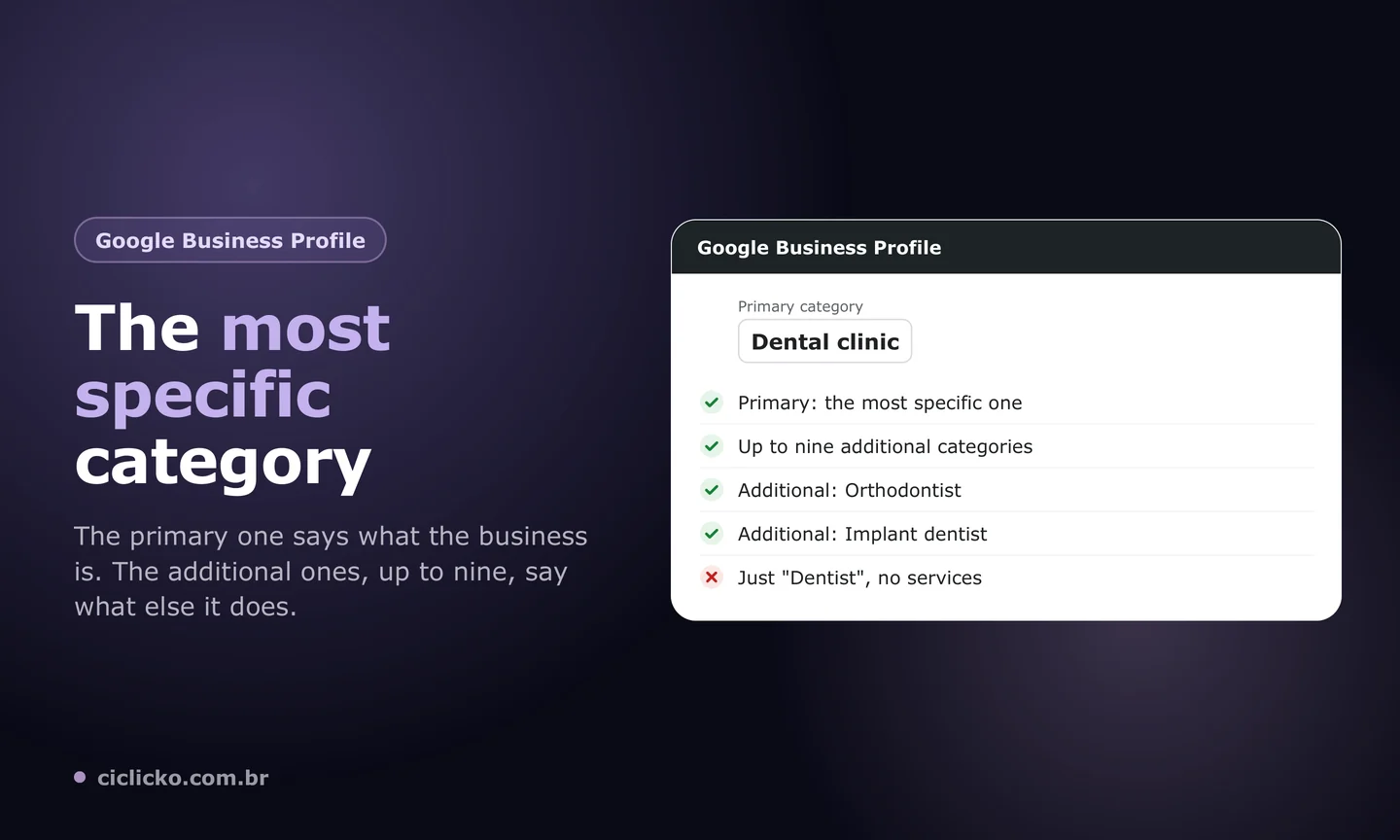
The primary category tells Google what your business is. The additional ones, up to nine according to Google’s help pages, tell it what else you do.
- Pick the primary category based on what your business is, the most specific one available: “Aesthetic clinic” and not “Health and beauty”.
- Use additional categories for services that have their own search demand: a dental clinic can have “Orthodontist” and “Implant dentist”.
- Look at the categories of the three competitors at the top. Not to copy them, but to discover categories you didn’t know existed.
Changing the primary category is the change that moves your ranking the most, up or down. Do it once, carefully, and track it for a few weeks.
2. Same name, address and phone number everywhere
The profile name is the real name of the business, with no keywords stuffed in. “Central Optical” and not “Central Optical Cheap Prescription Glasses Downtown”. Google treats a stuffed name as a violation and can suspend the profile.
Name, address and phone number must be the same on your website, Instagram, Facebook and the directories where your business appears. A small difference, like abbreviating “Street” in one place and not in another, makes Google less sure it’s the same business.
3. Services and products, one by one
This is the most overlooked part and the one that helps relevance most. Add each service separately, with a short description of what it is. A repair shop that lists “Oil change”, “Wheel alignment and balancing” and “Brake service” can show up for each of those searches. One that writes only “Auto services” shows up for almost none.
If you sell products, the products tab works as a storefront inside the profile itself, with photo and price.
4. The description: 750 characters for the decision maker
The description allows up to 750 characters. Use it to say what the business does, for whom, where, and what sets it apart. Write for the customer, not for the robot. Repeating keywords doesn’t improve your ranking and makes the text look like spam.
5. Photos that show what the customer will find
According to Google itself, businesses with photos get more direction requests and more website clicks than those without. What works:
- The storefront as people see it from the street, so they recognize it when they arrive.
- The interior, the team at work and the result of the service.
- New photos often, because they show the business is active.
- A descriptive file name before uploading, like “dental-clinic-campinas-reception.jpg”.
Stock photos and a repeated logo don’t help. Customers want to see the real place.
6. Reviews: volume, pace and replies
Reviews weigh on prominence and on the customer’s decision. Three things matter more than the rating.
- Pace. Reviews arriving every month are worth more than a spike followed by silence.
- Replies. Reply to all of them, good and bad. Your reply to a criticism is read by people who haven’t bought yet.
- Asking at the right moment. Right after delivering the service, with the direct link to your profile.
Never buy reviews or offer a discount in exchange for stars. It’s against Google’s rules, and a profile with fake reviews can lose all of them at once. The step-by-step for asking is in how to get Google reviews without buying them, and for replying in how to reply to Google reviews.
7. Posts, hours and attributes
- Posts show the business is alive: an offer, news, a solved case. One a week is enough. See what to post on Google Business Profile.
- Hours always correct, holidays included. A customer who finds the door closed during the hours Google shows leaves a bad review.
- Attributes like parking, accessibility, Wi-Fi and payment methods. These are exactly the details AI answers use to make recommendations.
What changes with AI in Maps in 2026
Google now answers full questions inside Maps and Search, like “a quiet restaurant with parking near me”. The answer comes from the profile data, the reviews and what the internet says about the business.
In practice, a complete profile, with described services, marked attributes and reviews that mention the service, is what the AI can recommend. A profile with three fields filled in doesn’t enter the conversation. The details are in Google Ask Maps and AI local search.
Quick checklist
- Verified profile with admin access on an account that belongs to you.
- Specific primary category and the additional ones that make sense.
- Real name, no keywords, matching your website and social media.
- Correct address or service area, phone number and website filled in.
- Each service listed separately, with a description.
- Description of up to 750 characters written for the customer.
- Real photos of the storefront, interior, team and work.
- Reviews arriving every month and all of them answered.
- One post a week and holiday hours up to date.
- Attributes marked.
How long it takes to see results
Relevance fixes, like category and services, usually show up within the following weeks. Prominence, which depends on reviews and citations, takes months. To track it, use the performance dashboard in the profile itself, which shows the searches that brought people to your business, and compare month to month, never day to day.
Frequently asked questions
Are Google My Business and Google Business Profile the same thing? Yes. Google renamed it Google Business Profile, but the tool is the same, and almost everyone still searches for the old name.
Does optimizing the profile cost anything? The profile is free, and you can do the optimization yourself. Whoever charges is the one doing it for you.
Does posting every day help you rank higher? No. Posting shows the business is active, but it doesn’t make up for a wrong category or a lack of reviews. One post a week is enough.
Does changing the name to include the service help? It may rank higher for a few days, but it breaks the rules and is one of the most common reasons for suspension.
Can you show up in another city? In local search, distance matters. To show up in another city, the business needs a real address or a service area that covers that city.
Want to see what your profile is missing?
In the free Google Business Profile audit, you get your profile compared with 3 competitors in your area on WhatsApp, plus a list of what to fix first. If you prefer to do it yourself, there’s the Kit GMN Express. If you want Ciclicko to do it, there are Google Business Profile optimization plans, with pricing on request. To get yours, message us on WhatsApp.